
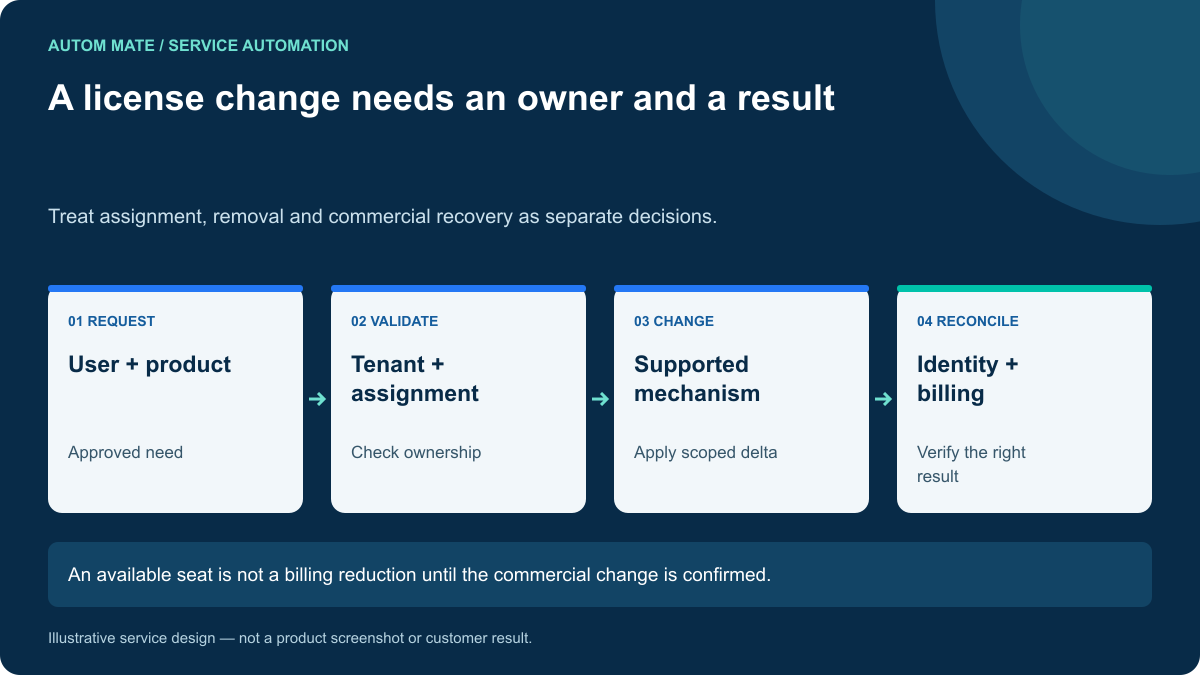
Microsoft 365 license management automation should apply approved product changes to the correct user, verify the resulting assignment and explain what changed commercially. Those are separate outcomes. Removing an assignment may make a seat reusable without reducing the subscription bill.
That distinction matters for an internal IT team and becomes more important for an MSP managing several customers. A useful service must preserve customer boundaries, existing assignment ownership and the business conditions for changing access.
Define the exact change before touching a license
A request for “Microsoft 365 access” is too broad to execute. Specify the user, customer tenant, required product, approved service components and effective date. A product upgrade can also require a review of what should be retained from the previous assignment.
Microsoft Graph’s assignLicense operation supports adding and removing user licenses. That API capability does not decide whether the business wants the change or which existing assignment mechanism owns it.
Read current assignment information before planning a delta. Direct assignment and policy-driven assignment should not compete. If an identity process already controls the product through a group, route the request through that process instead of adding another independent assignment path.
A proposed service contract
| Input | Decision it supports | Exception |
|---|---|---|
| Customer tenant and user identifier | Identify the correct assignment target. | Unknown tenant or ambiguous identity. |
| Approved product and service scope | Determine the requested delta. | Request is broader than approval. |
| Current assignment source | Choose the owning mechanism. | Conflicting direct and policy ownership. |
| Availability and prerequisites | Decide whether fulfillment can proceed. | No suitable seat or invalid account data. |
| Effective date and review date | Control timing and temporary access. | Expired decision or changed requirement. |
Keep the approved product mapping maintained rather than deriving it from a free-text label. A friendly catalog item is useful for requesters, but execution should resolve it to the intended product and configuration.
Example: a time-limited project requirement
Imagine a fictional employee who needs an additional licensed capability for a project. Their base collaboration subscription must remain in place. The approval covers the extra capability for a defined period.
- Confirm the request is still approved and resolve the employee’s account.
- Check the customer tenant and the mechanism responsible for the relevant assignment.
- Inspect whether the required capability already exists.
- Confirm the product can be assigned and that prerequisite account information is valid.
- Apply only the approved change using the supported mechanism.
- Read back the result and record what was added, retained or unresolved.
- Record the review responsibility and timing for the project end.
A repeated request should not disturb the existing base subscription. If the target response is uncertain, inspect state before trying again. Record the attempt separately from the verified outcome so an operator can recover the specific failure.
Reclaiming a license requires a second set of questions
For a departure or an application change, agree what must happen to data, ownership and service dependencies before removing a product. A license action is not a complete employee offboarding process.
The identity or application owner should decide whether access must first be restricted, whether records need transfer and what retention policy applies. The commercial owner should confirm whether an available seat can be reused, whether a subscription quantity can change and when any savings take effect.
Do not put a universal retention period into a cross-customer template. The product, agreement and customer policy determine that decision. Keep unresolved prerequisites visible rather than marking the request complete after a successful removal call.
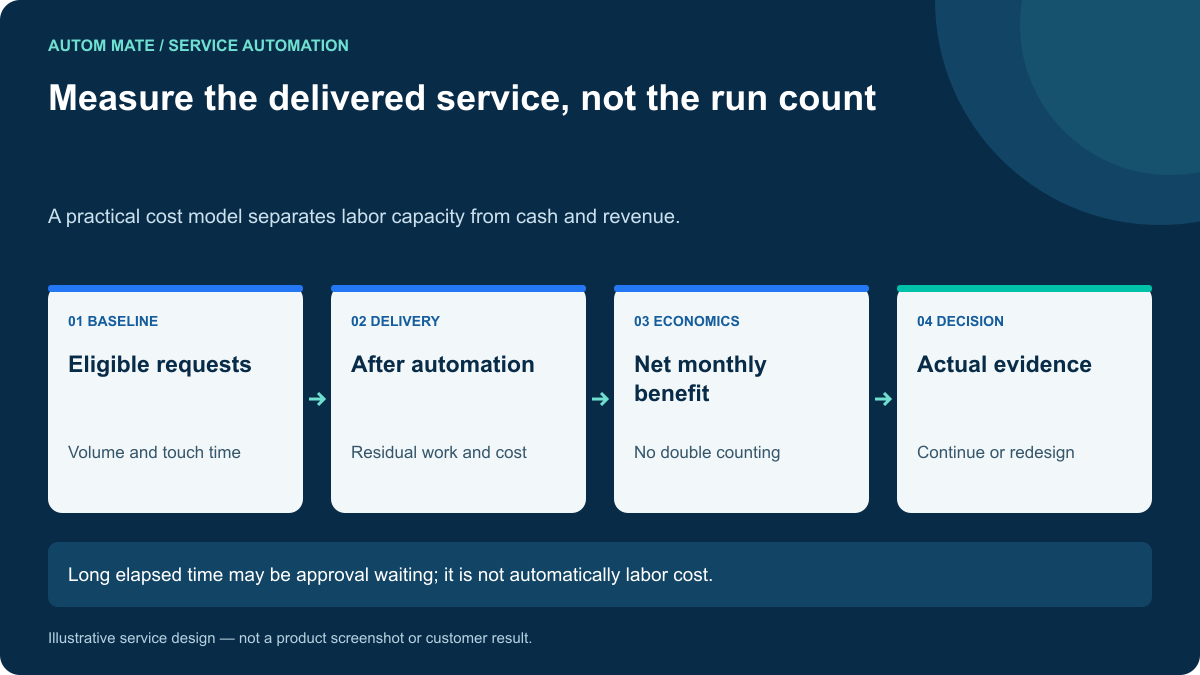
Report three outcomes separately
- Assignment outcome: the intended product state is verified for the user.
- Capacity outcome: a seat is available for approved reuse.
- Financial outcome: an actual charge or future commitment has changed.
For an MSP, add the customer and service identifiers to all three views. A pooled spreadsheet without tenant context makes reconciliation and support unnecessarily risky.
A monthly report might show ten assignments removed, eight seats subsequently reused and two quantity reductions confirmed at renewal. Those are different operational facts. They should not be collapsed into “ten licenses saved.”
Acceptance tests worth demonstrating
Use a user who already has the requested capability, an account managed through a group, an unavailable product and a request submitted to the wrong customer context. Ask what the workflow does in each case.
The demonstration should preserve unrelated assignments, avoid overriding the owning identity process and expose uncertain outcomes. Also confirm that logs contain product and request references without storing reusable credentials.
Connect licensing to the broader service
Autom Mate can be evaluated as the coordination layer around a configured identity and service desk workflow. Keep product-specific assignment authority where it belongs and use the service record to connect request, approval, execution and verification.
Our provisioning guide covers account lifecycle decisions, while the offboarding guide covers verified completion. Bring one license request and one reclaim scenario to map a workflow with clear operating and commercial owners.