
An employee moves from procurement to finance. Their new manager asks for finance access; the old manager wants them to finish a handover. IT adds the new permissions promptly. Weeks later, the employee still has both sets of access because nobody owned the removal decision.
The mover stage of a joiner–mover–leaver process deserves its own design. A department transfer changes responsibilities without necessarily changing the person’s identity. Treating it as “add the new groups” leaves the old role unresolved; treating it as a fresh joiner can create unnecessary accounts and disruption.
Begin with an approved change record
Use a stable person identifier and an authoritative transfer record. The record should include the effective date and time, previous and new departments, previous and new managers, and the role being accepted. An email address or display name alone is a fragile way to identify the person.
For an illustrative transfer, assume the employee will stop creating purchase orders on Friday and begin approving a different class of finance work on Monday. A short handover may require access to old records, but it does not automatically justify keeping every old permission.
Ask the business owners to distinguish three things: what must be available for the new job, what must end with the old job, and what temporary access is genuinely needed for the handover. IT can then implement an explicit transition rather than infer one from a department field.
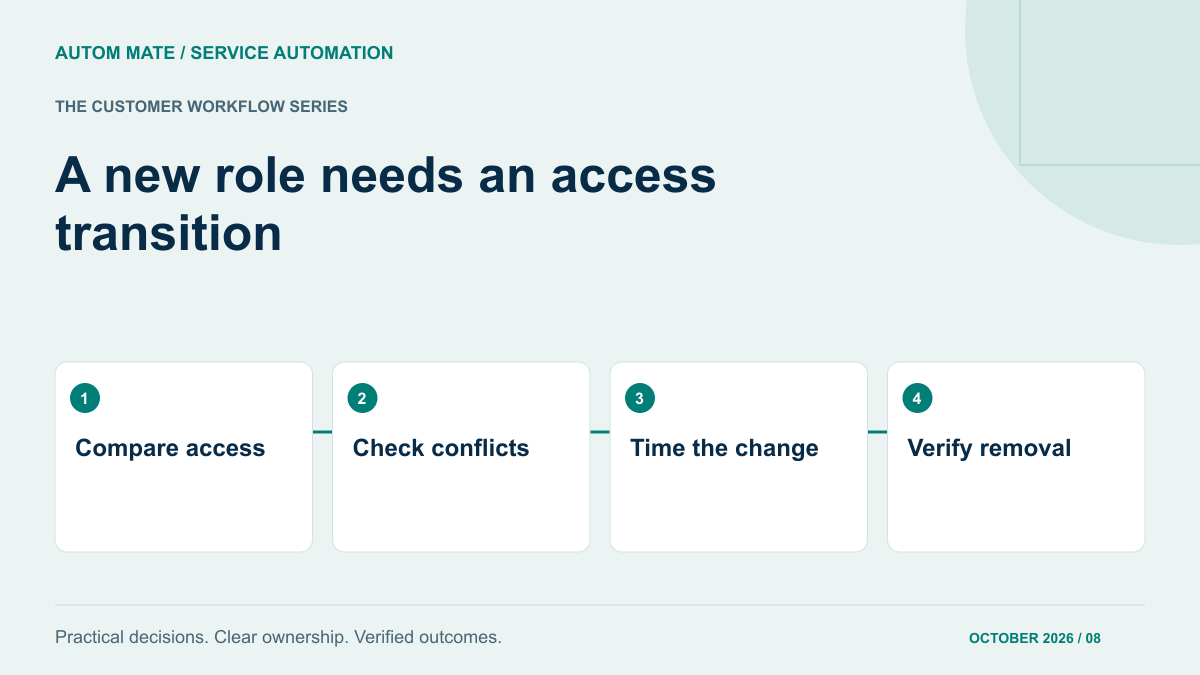
Compare current access with the intended role
Build a change set before executing it. Include access obtained through groups, access packages and direct application assignments. Where an application maintains permissions locally, add that owner to the process instead of assuming a directory change covers it.
| Access type | Transfer decision | Evidence required |
|---|---|---|
| Organisation-wide tools | Retain if still appropriate | Current employment and baseline policy |
| Old department privileges | Remove at the agreed point | Old role owner and removal confirmation |
| New department privileges | Grant after approval and conflict checks | New role owner and resulting entitlement |
| Temporary handover access | Grant a limited scope and expiry | Reason, approver, end time and review owner |
| Unknown direct permissions | Review before declaring completion | Application owner’s decision |
This comparison builds on the broader joiner–mover provisioning workflow. The additional question is what should no longer be true after the transfer.
Decide the order according to access conflicts
Some permissions may overlap safely during a handover. Others must not coexist. The business control owner should identify incompatible combinations before IT decides whether to grant or remove first. An arbitrary “always add first” rule can create a conflict; “always remove first” can unnecessarily stop ordinary work.
Microsoft Entra entitlement management supports incompatible access package and group checks. Its documentation also distinguishes blocking new incompatible requests from identifying assignments that already conflict. Check existing assignments as well as the rules governing new ones; configuration alone is not evidence that historical access has been corrected.
For a controlled transfer, explicitly record the allowed sequence. Where old access must be removed before new access is granted, require confirmation of that removal. If an application owner must act manually, keep the transfer visibly incomplete until the evidence arrives.
Handle timing without losing the latest decision
A transfer can be postponed after it has been scheduled. The process should check the latest approved record before making a change. Save the revision used by each execution so an operator can explain why it acted.
If the effective date changes before any action, replace the pending plan. If some actions have already completed, reconcile them individually. Cancelling a scheduled job does not reverse a permission that was already granted. Likewise, moving a date backwards does not prove that a removal happened at the earlier time.
Keep business time zones explicit. A Friday evening handover in one office may fall on a different calendar day for the team running the service. Both the scheduled time and the people responsible for exceptions should be unambiguous.
Use native identity capabilities where they fit
Microsoft Entra Lifecycle Workflows supports identity lifecycle tasks, attribute-based scope and workflow history; licensing requirements apply. Evaluate these capabilities before building equivalent logic elsewhere.
Coordination may still be needed when HR, an ITSM approval, a local application and a device task all contribute to the transfer. The useful boundary is the unresolved cross-system work, including who verifies each result. Our article on cross-system coordination around Entra workflows explores that decision.
Give partial changes a named owner
Suppose finance access is approved but the old application’s removal fails. The appropriate response depends on the previously agreed conflict rule. It may require stopping the new grant, restricting a particular function or asking the application owner to intervene. The automation should surface the condition, not invent a policy at runtime.
Record the old and new access that actually exists, the intended state, and the next authorised action. A generic “transfer failed” message makes operators investigate everything again. A precise exception allows them to address the remaining step without repeating successful grants.
If the incoming manager has not yet been assigned, route approval to the authorised backup. Do not silently reuse the outgoing manager for every decision. Ownership changes are part of the mover process too.
Close the transfer with a short reconciliation
- The employee identity matches the approved transfer record.
- Required new access is present at the intended scope.
- Old access scheduled for removal is confirmed absent.
- Temporary access has a recorded expiry and accountable owner.
- Unresolved application-specific permissions are visible as exceptions.
- The employee and relevant managers receive an accurate completion summary.
The completion message can distinguish confirmed access from items still awaiting an owner. That is more useful than marking the entire transfer successful because its first automated steps ran.
Bring one department-transfer example, the applications involved and your access-conflict rules to an Autom Mate Enterprise discussion. A tightly defined mover scenario provides a practical starting point for improving continuity without allowing old permissions to accumulate.