
A contractor’s access expires on Friday. On Thursday afternoon, their sponsor says the project will continue. The service desk postpones offboarding, but no new end date is recorded. The extension solves an immediate disruption and leaves an open-ended access decision behind.
Contractor offboarding needs an explicit path for extensions, cancellations and late decisions. A useful employee offboarding checklist can provide the foundation, but contractors add a dependency on the engagement and its sponsor. The process must distinguish a request to continue from an authorised, time-bounded change.
Give every engagement a complete access record
For an illustrative project contractor, record the person’s stable identifier, the engagement identifier, the accountable sponsor, approved resources and the end date with a time zone. Include an alternate owner if the sponsor is absent or leaves the organisation.
The engagement and the identity are not necessarily the same thing. One person might finish one assignment while continuing another. Removing the whole identity without checking scope can disrupt valid work; extending the whole identity can preserve access that the second assignment does not require.
Keep resource ownership visible. A directory account, a local application account, a shared workspace and a supplier-managed login may have different removal mechanisms. The service owner needs to know which systems are covered and which require a separate confirmation.
Make an extension a new access decision
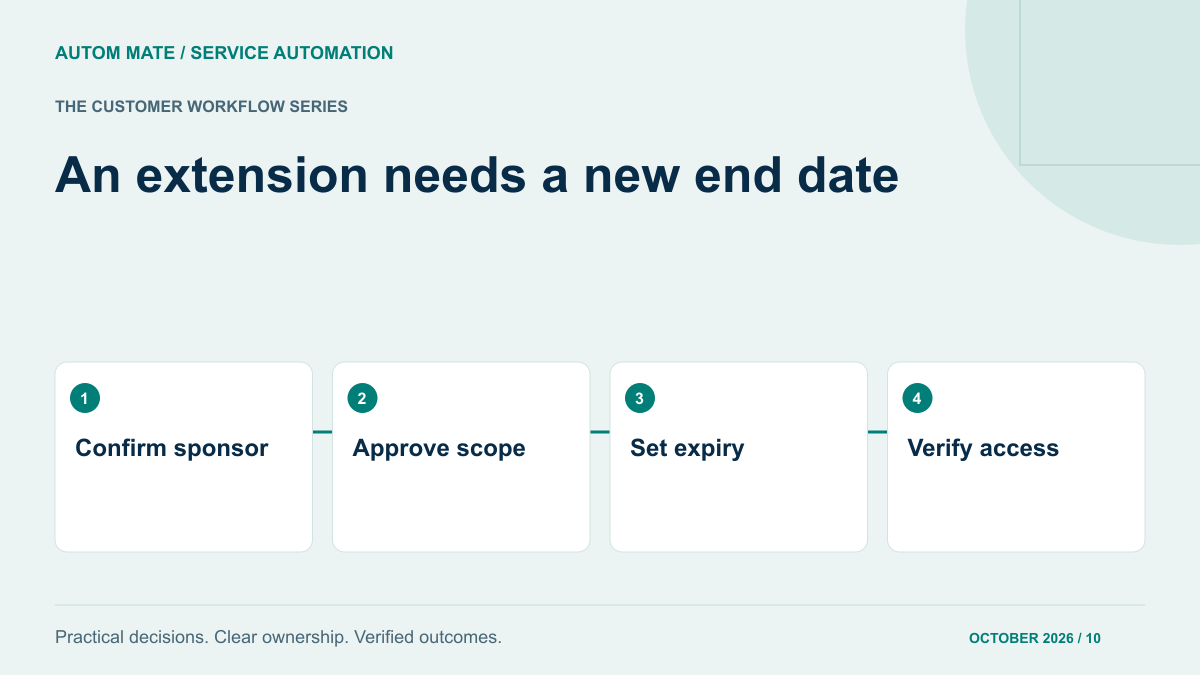
An extension should identify the continuing work, the resources still required, the new end date and the authorised approver. A message saying “please keep this person active” is missing those details.
Reassess the scope rather than automatically extending every permission. The contractor may need to complete documentation while losing access to production changes. The appropriate decision may therefore be a shorter and narrower assignment, not a simple change to the original expiry date.
Microsoft Entra access package policies provide expiry and extension settings, including approval options. Their documentation notes that changing a policy’s expiration date does not change expiration dates for requests already pending or approved. Verify the actual assignment state after a policy change instead of assuming every scheduled action now follows it.
Use a decision table for the awkward cases
| Situation | Required decision | Operational outcome |
|---|---|---|
| Approved extension before expiry | New scope and end time are authorised | Update the relevant assignments and verify the revised schedule. |
| Extension requested but undecided | Sponsor or alternate must decide | Keep the original expiry visible; escalate without silently extending. |
| Request arrives after access was removed | Authorise restoration at the required scope | Check actual state and restore only approved resources. |
| Engagement ends early | Confirm the revised effective time | Bring forward removal and reconcile completed actions. |
| Sponsor is unavailable | Use a defined alternate authority | Avoid treating silence as continuing approval. |
| Another engagement remains active | Separate its valid access from the ended assignment | Remove the ended scope without assuming all access must end. |
The table is a suggested operating design. Your organisation’s access policy determines the authorised actions and timing. Record any exceptional continuation with its approver, limited scope and new expiry so it can be reviewed.
Prevent an old scheduled action from winning the race
An approved extension can arrive while an offboarding job is about to run. Before a removal step executes, the process should check the current approved engagement state and the revision it is acting on. If the record has changed, reconcile the action with that newer decision.
Similarly, do not assume an extension has been applied because a ticket was updated. Confirm that the affected systems and scheduled tasks now reflect it. The evidence should identify the resource, the observed end state and when it was checked.
For systems that cannot coordinate updates reliably, design a supervised exception path. It may be safer to pause an uncertain action for an authorised operator than to let competing jobs alternate between disabling and re-enabling access. The exception still needs a deadline and owner.
Separate access removal from information handover
A contractor’s departure may involve returning a device, handing over files and assigning ongoing work to a permanent employee. Those tasks belong in the overall service, but they should not be confused with proof that access has ended.
Record access closure and information handover separately. Follow the organisation’s retention and ownership rules for project material. Avoid using deletion as a substitute for removing access: deleting an account or its data can have consequences beyond the immediate engagement.
Our offboarding guide explains how to move from a request to verified completion. For contractors, add the engagement and sponsor checks before following that workflow.
Test the extension path before it is urgent
- Approve an extension before the original removal time and confirm only one valid schedule remains.
- Leave an extension undecided and check the escalation and original expiry behaviour.
- Send a duplicate approval and confirm it does not create extra assignments.
- Submit a change while removal is in progress and inspect the final state.
- Simulate an unavailable application and confirm the exception has a responsible owner.
- Finish one of two engagements and verify that access is reconciled at the intended scope.
Use demonstration identities and representative permissions for these tests. Record expected and actual results. A test that checks only whether a notification was sent leaves the access decision unproven.
Close with evidence the sponsor can understand
The final record should state whether the engagement ended or was extended, the approved scope, the effective time and the resources verified. List remaining exceptions individually. “Offboarding complete” should not conceal a local application still awaiting its owner.
If an extension changes the contractor’s duties, also apply the conflict and transition checks in our department-transfer control guide. Continued employment or engagement does not automatically justify keeping the same access.
Bring one contractor lifecycle, its sponsor decisions and the systems involved to an Autom Mate Enterprise discussion. The useful starting point is the exception your team currently handles by memory: turning that decision into an explicit, verifiable process.