
An employee account exists, a licence has been assigned, and an application request is still waiting. The workflow shows an error. Should the service desk run it again?
That question is where reliable IT workflow automation becomes an operating discipline. A failed run can contain completed actions. Repeating the entire sequence may create another request, send another welcome message or overwrite a change made by someone else. The recovery decision needs a view of the service and its current state, not just the final error message.
The following runbook uses an illustrative onboarding request. It is a design worksheet for an MSP, not a claim that every platform supplies these controls automatically. Adapt it to the systems, permissions and customer agreements involved.
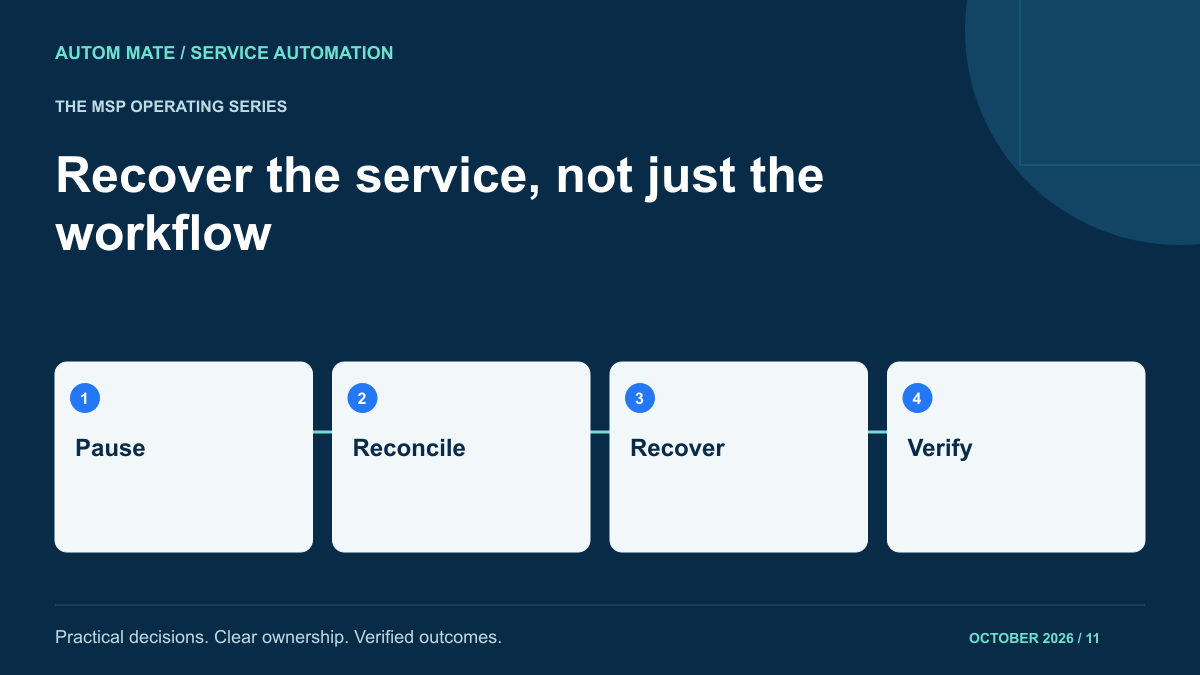
First, contain the affected request
Start by identifying the customer, the original request and the affected employee. Put this request into a visible recovery state. Prevent scheduled retries or another operator from working on the same request while its condition is being checked. A customer-wide pause is appropriate only when the failure indicates a shared problem; one incorrect employee record should not automatically stop unrelated services.
Assign one recovery owner and tell the service desk what that owner is investigating. Record when the next update is due. An incident with three people trying fixes in parallel is difficult to reconstruct, especially when each person sees only one application.
Preserve the original run reference, relevant timestamps and workflow version. Capture request and response identifiers without copying passwords, tokens or unnecessary personal information into the ticket. If the error includes sensitive data, keep the detailed log in its controlled location and link to it.
Build a current-state ledger
Query each affected destination before choosing a recovery action. A timeout means the caller did not obtain a conclusive response; it does not establish that the destination made no change. Match records using stable identifiers agreed in the service design, rather than a display name that several employees may share.
| Service step | Evidence to collect | Decision for this example |
|---|---|---|
| Create account | Directory object linked to the original employee record | Existing correct account: retain it and record its identifier |
| Assign licence | Current assignment and approved entitlement | Assignment matches request: do not repeat unnecessarily |
| Create application request | Search result using the external request reference | Result uncertain: investigate before creating another |
| Notify manager | Notification record linked to this service request | Not sent: keep it pending until the service state is clear |
The ledger should distinguish completed, not completed, uncertain and no longer required. Avoid labelling every step either green or red: uncertain work needs a different response from a confirmed rejection.
Choose the next action explicitly
There are four useful outcomes from the investigation: continue from a known checkpoint, retry one eligible operation, perform an authorised corrective action, or escalate for a business decision. None should be selected solely because it is the easiest button to press.
Microsoft’s Retry pattern guidance distinguishes temporary failures from problems unlikely to improve when repeated. It also highlights the need to consider whether an operation is safe to repeat. Use that distinction when writing the runbook: a temporary connection failure and a rejected permission are different conditions.
For example, a missing mandatory department code should return to the data owner. Retrying that request repeatedly will not supply the missing value. A confirmed temporary outage may justify a bounded retry after the destination recovers. An ambiguous account-creation response needs reconciliation first.
Some failures require a compensating action: an approved change that addresses work already performed. This is not necessarily restoration of a previous snapshot. Microsoft’s Compensating Transaction pattern explains that concurrent changes and business rules can make simple reversal inappropriate. In this example, deleting an account could also remove work completed outside the original request.
Write the operator instruction as a bounded procedure
A useful instruction names its entry condition, permitted action, evidence and stop condition. “Retry the workflow” leaves too much interpretation. A more specific instruction is: confirm that the linked application request does not exist, validate that the employee still has approval, then submit only the missing application request under the original service reference.
- Confirm the recovery owner has the required access for the correct customer.
- Recheck that the business request is still valid; a cancelled starter should not continue through onboarding.
- Record the selected action and any approval required for it.
- Perform the bounded action using the agreed request identifier.
- Read the destination state again and attach the evidence reference.
- Release the request from recovery only when its remaining steps have a clear owner.
Define what the operator must not do. For this service, that might include manually creating an unlinked account, changing an employee’s department to bypass validation, or sending a completion notice while application access remains uncertain. These limits make the runbook usable under pressure.
Rehearse the awkward cases
Test a failure after each external action, not only before the first one. Include an interrupted acknowledgement, an operator handover, an expired approval and a destination changed manually during investigation. Check whether a second operator can understand the current ledger without asking the original author what happened.
Also rehearse a recovery that fails. The resulting ticket should retain both attempts and the remaining uncertainty. Repeated recovery failures may indicate that the service needs redesign, rather than more aggressive automatic retries. Use the same test conditions when reviewing a new workflow version, as described in shared MSP workflow release management.
Close on verified service state
Separate the technical repair from the user-facing outcome. An API accepting a request does not establish that the employee can use the intended application. Record what was verified, what remains pending and who accepted any remaining limitation.
Feed recurring exceptions into the service backlog with their cause and recovery effort. That extends the request-to-outcome approach to service desk automation into day-to-day support. When defining your next MSP automation service, bring one failure scenario alongside the happy path. The recovery procedure deserves a place in the service design before the first customer needs it.